
Al Harameen Azan Clock User Guide: A Comprehensive Overview
Al-Harameen Azan clocks offer precise prayer time calculations, featuring diverse models like HA-3006 and HA-3005. PDF manuals are readily available online, aiding users in setting time, date, and city configurations for accurate Azan alerts.
Al Harameen clocks are globally recognized for their accuracy in calculating prayer times, serving the Muslim community with reliable Azan notifications. These clocks aren’t merely timekeeping devices; they are comprehensive Islamic tools designed to assist in daily worship and adherence to Islamic practices. Available in various models – including popular choices like HA-3006, HA-3005, and HA-7003 – Al Harameen offers a range to suit diverse needs and preferences.
From simple table clocks to sophisticated wall-mounted and mosque clocks, the brand caters to both individual and communal use. A key feature is the ability to customize settings based on your specific location, ensuring precise prayer time calculations aligned with your region’s schedule. Users can access detailed instruction manuals, often available as free PDF downloads, to fully understand and utilize the clock’s functionalities. These guides cover everything from initial setup to advanced customization options, making Al Harameen clocks accessible to users of all technical levels.
Understanding the Key Features
Al Harameen Azan clocks boast a suite of features designed for the modern Muslim. Core functionalities include accurate prayer time calculations for various locations worldwide, customizable Azan volume and tone settings, and a comprehensive Hijri calendar display; Many models incorporate a Qibla direction indicator, assisting users in accurately facing the Kaaba during prayer.
Beyond basic timekeeping, these clocks often feature dual time displays (Gregorian and Hijri), alarm settings for reminders, and options for 12/24-hour format selection. Advanced models may include full LED screens displaying Quranic verses. The user interface typically involves a combination of buttons for navigation and setting adjustments, detailed in the accompanying user guide or PDF manual. Different models, such as HA-3006 and HA-3005, may have slight variations in button layout and menu structures, but the fundamental principles remain consistent, ensuring a user-friendly experience.
Azan Time Accuracy and Settings
Al Harameen Azan clocks prioritize accurate prayer time calculations, utilizing pre-programmed data for cities globally. However, achieving optimal accuracy requires proper city and region selection within the clock’s settings. Users can typically adjust calculation methods (e.g., Islamic University, Egyptian General Authority) to align with their preferred fiqh.
The Azan sound volume is adjustable, allowing users to customize the alert level. Tone options may also be available, offering a choice of different Azan recitations. It’s crucial to verify the selected city corresponds to the user’s current location, as even slight discrepancies can impact prayer time precision. Regularly consulting the user guide or PDF manual ensures correct configuration. Some models allow for daylight saving time adjustments, further enhancing accuracy. Incorrect settings can lead to inaccurate prayer reminders, so careful attention to detail is essential.
Setting the Current Time and Date
To set the current time and date on your Al-Harameen clock, begin by identifying the appropriate buttons – typically labeled ‘Mode’, ‘Set’, or similar. Press ‘Mode’ until you reach the time setting screen. Use the ‘Set’ or arrow buttons to adjust the hour, then confirm. Repeat this process for minutes. Subsequently, access the date setting by pressing ‘Mode’ again.

Adjust the year, month, and day using the ‘Set’ or arrow buttons, confirming each selection. Ensure the correct 12/24 hour format is chosen within the settings menu. Refer to your specific model’s user guide or PDF manual for precise button configurations, as they can vary. Accurate time and date settings are fundamental for correct prayer time calculations and Azan alerts. Double-check your entries to avoid discrepancies. Some models may automatically synchronize time via radio signals or require manual updates.
Selecting Your City and Region
Accurate prayer time calculations depend on correctly selecting your city and region on your Al-Harameen Azan clock. Access the city selection menu, usually through a ‘World Time’ or ‘City’ setting. You may navigate through a list of countries and cities using the ‘Set’ or arrow buttons. Some models feature a search function for quicker location finding.
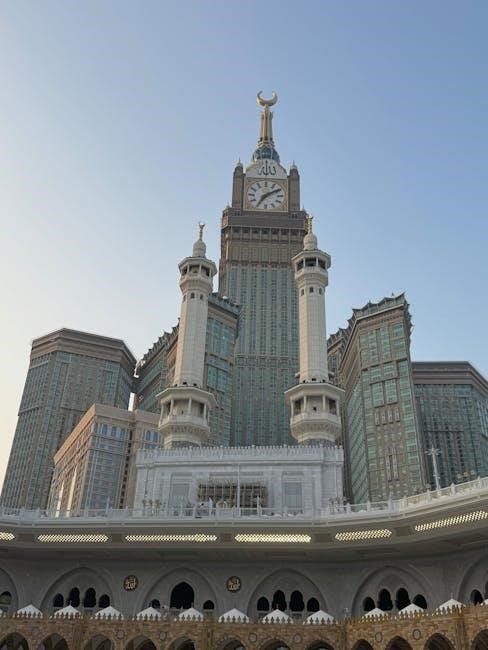
Alternatively, certain clocks allow manual latitude and longitude input for precise location setting. Consult the included user guide or the downloadable PDF manual for specific instructions tailored to your model (HA-3006, HA-3005, etc.). Ensure daylight saving time settings are appropriately configured for your region. Incorrect city selection will result in inaccurate prayer timings. Regularly verify your location settings, especially after traveling. Proper configuration guarantees timely and accurate Azan notifications.
Adjusting Azan Volume and Tone
Al-Harameen Azan clocks offer customizable Azan volume and tone settings to suit individual preferences and environments; Access the volume control typically through a ‘Volume’ or ‘Sound’ menu option. Use the control buttons to increase or decrease the Azan sound level. Many models feature multiple volume levels, allowing for quiet or louder alerts.

Furthermore, you can often adjust the Azan tone itself, selecting from pre-programmed voices or sounds. Explore the ‘Tone’ or ‘Voice’ settings to choose your preferred Azan recitation. Some clocks allow independent volume control for the Azan call to prayer and alarm sounds. Refer to your specific model’s user guide or PDF manual for detailed instructions. Proper adjustment ensures the Azan is audible yet not disruptive, providing a peaceful prayer reminder.
Using the Hijri Calendar Function
Al-Harameen Azan clocks prominently feature a Hijri calendar display, alongside the Gregorian calendar. Accessing the Hijri calendar function usually involves navigating through the clock’s menu using the control buttons; You can typically view the current Hijri date directly on the clock’s screen. Some models allow you to adjust the Hijri date manually if necessary, ensuring accuracy.

The Hijri calendar is crucial for observing Islamic holidays and events. The clock automatically converts Gregorian dates to their corresponding Hijri equivalents, simplifying religious observance. Certain models may also display the remaining days until significant Islamic dates. Refer to your clock’s user guide or PDF manual for specific instructions on navigating and utilizing the Hijri calendar features. This function provides a convenient way to stay connected to the Islamic lunar calendar.
Exploring the Qibla Direction Feature
Many Al-Harameen Azan clocks incorporate a Qibla direction feature, assisting Muslims in accurately facing the Kaaba during prayer. This feature typically utilizes an internal compass and displays the angle towards the Qibla relative to your current location. Accessing the Qibla direction usually involves selecting the Qibla option within the clock’s menu.
To ensure accurate readings, it’s vital to initially set your location correctly within the clock’s settings. Some models offer automatic Qibla calculation based on GPS or manual input of latitude and longitude. The Qibla direction is displayed in degrees, providing a clear indication of the direction to face. Always consult the user guide or PDF manual for specific instructions on calibrating and using the Qibla feature on your particular model. This feature is invaluable for maintaining proper prayer orientation, regardless of location.
Navigating the Clock Display and Buttons
Al-Harameen Azan clocks feature a variety of display types, including LCD and LED screens, showcasing time, date, prayer times, and other information. Common buttons include ‘Mode’ for cycling through functions, ‘Set’ for confirming selections, and directional buttons (up/down/left/right) for navigating menus. The display typically shows the current time in either 12 or 24-hour format, selectable within settings.
Understanding button functions is crucial for efficient operation. The ‘Hijri’ button toggles between Gregorian and Islamic calendar displays. The ‘Azan’ button often controls the volume and tone of the Azan call to prayer. Refer to your specific model’s user guide or PDF manual for a detailed layout of buttons and their corresponding functions. Familiarizing yourself with these controls allows for easy customization and access to all clock features, ensuring a seamless user experience.
Troubleshooting Common Issues
If your Al-Harameen Azan clock displays incorrect prayer times, verify the city and region settings are accurate. Ensure the date and time are correctly set, as these influence prayer time calculations. If the Azan sound isn’t functioning, check the volume level and confirm the Azan feature is enabled in the settings. For display issues, try resetting the clock or replacing the batteries.
If the clock fails to power on, confirm proper battery installation and polarity. A complete reset, often involving a small recessed button, can resolve software glitches. If problems persist, consult the PDF manual for model-specific troubleshooting steps. Online forums and support resources (mentioned later) can also provide solutions. Remember to check the manufacturer’s website for frequently asked questions and updated firmware, if applicable, to address known issues and optimize performance.

Understanding Alarm Settings
Al-Harameen Azan clocks typically offer multiple alarm settings, distinct from the Azan prayer time alerts. These alarms can be configured for daily or specific days of the week, allowing for personalized wake-up schedules. The alarm sound is often adjustable, with options beyond the standard beeping, potentially including melodic tones or even a gentle Azan recitation.
To set an alarm, navigate through the clock’s menu using the control buttons. You’ll usually set the hour and minute independently. Some models allow for a snooze function, providing extra minutes of sleep. It’s crucial to differentiate between the prayer reminder alarms (tied to Azan times) and the independently set alarms. Refer to your specific model’s manual (available as a PDF download) for detailed instructions on accessing and customizing these alarm features. Proper configuration ensures timely and effective wake-up calls.
Utilizing the Prayer Reminders
Al-Harameen Azan clocks excel in providing timely prayer reminders. These reminders automatically activate based on the accurately calculated Azan times for your selected city and region. Unlike standard alarms, prayer reminders are intrinsically linked to the Islamic prayer schedule, ensuring you’re alerted for Fajr, Dhuhr, Asr, Maghrib, and Isha prayers.
Most models allow customization of the reminder duration – the length of time the Azan sound plays before automatically silencing. Some clocks offer options to enable or disable individual prayer reminders, catering to personal preferences. The volume control also applies to these reminders, allowing adjustment to suit your environment. Consult your clock’s manual (often available as a PDF) for specific instructions on enabling, disabling, and customizing these vital prayer notification features. Accurate city selection is paramount for correct reminder timing.

Changing Between 12/24 Hour Format
Al-Harameen Azan clocks typically offer the flexibility to display time in either the 12-hour (AM/PM) or 24-hour format. The method for switching between these formats varies slightly depending on the specific model – HA-3006, HA-3005, or others – but generally involves accessing the clock’s settings menu.
Usually, you’ll need to press and hold a designated button (often labeled ‘Settings’ or ‘Mode’) to enter the settings mode. Navigate through the options using other buttons until you find the “Time Format” or similar setting. Select your preferred format – 12H or 24H – and confirm your choice. Refer to your clock’s user guide or PDF manual for precise button combinations and menu navigation. This adjustment doesn’t affect Azan time calculations; it solely alters the time display. Ensuring the correct format enhances readability and personal preference.
Downloading and Using the PDF Manual

Accessing the PDF manual for your Al-Harameen Azan clock is crucial for understanding its full functionality. Numerous websites host these manuals, often available directly from retailers like Alibaba or through dedicated clock resource sites. A search for “Al Harameen AL-123 manual” (replace AL-123 with your model number) will typically yield results.

Once downloaded, open the PDF using a compatible reader like Adobe Acrobat Reader. The manual provides detailed instructions on setting the time, date, Azan times, Hijri calendar, Qibla direction, and troubleshooting common issues. Pay close attention to model-specific instructions, as features and button layouts can differ. The manual is an invaluable resource for maximizing your clock’s capabilities and resolving any operational difficulties. Regularly referencing it ensures optimal performance and accurate prayer time notifications.
Battery Replacement and Maintenance
Maintaining your Al-Harameen Azan clock involves periodic battery replacement to ensure continuous operation. The type and quantity of batteries required vary depending on the model; consult your PDF manual for specific details. Generally, these clocks utilize AA or AAA batteries. When replacing batteries, always use new, high-quality batteries of the same type.
To prolong battery life, avoid exposing the clock to extreme temperatures or humidity. Regularly clean the clock’s exterior with a soft, dry cloth. Avoid using harsh chemicals or abrasive cleaners. Ensure the battery compartment is free from corrosion. Proper battery maintenance and gentle cleaning contribute significantly to the longevity and reliable performance of your Al-Harameen Azan clock, guaranteeing accurate prayer time reminders for years to come. Discard used batteries responsibly, following local regulations.
Advanced Settings and Customization
Al-Harameen Azan clocks offer a range of advanced settings for personalized use. These include adjusting Azan sound volume independently for each prayer, selecting different Azan tones, and customizing the display brightness. Some models allow for Daylight Saving Time adjustments and the option to disable specific alarms or reminders.
Further customization extends to Hijri calendar display preferences and the ability to fine-tune prayer time calculations based on your preferred Islamic school of thought. Explore the settings menu, referencing your manual, to discover options for adjusting the Qibla direction display and configuring snooze durations. These advanced features empower users to tailor the clock’s functionality to their individual needs and preferences, enhancing the overall user experience and ensuring a truly personalized prayer time companion. Remember to save changes after customization.
Where to Find Support and Additional Resources
For comprehensive support regarding your Al-Harameen Azan clock, numerous resources are available. Begin with the official website, often hosting downloadable PDF manuals for various models like HA-3006, HA-3005, and others. Online forums and communities dedicated to Islamic products frequently feature discussions and troubleshooting tips from fellow users.
Alibaba.com, a prominent platform, lists suppliers offering these clocks and potentially providing customer support. YouTube tutorials can visually guide you through setup and advanced features. If you encounter persistent issues, contacting the retailer where you purchased the clock is advisable. Many retailers offer direct support or can connect you with the manufacturer. Remember to have your model number readily available when seeking assistance to ensure efficient and accurate support.
Model-Specific Instructions (HA-3006, HA-3005, etc.)
Al-Harameen Azan clocks, such as the HA-3006 and HA-3005, share core functionalities but differ in button layouts and display features. The HA-3006 often includes expanded Hijri calendar options and more customizable Azan tones. For both models, setting the time and date involves navigating through the ‘SET’ button, followed by adjustments for year, month, day, hour, and minute.
The HA-3005 typically features a simpler interface, prioritizing ease of use. Both models require selecting your city code for accurate prayer time calculations; a comprehensive city list is included in the user manual. Adjusting Azan volume is usually achieved via dedicated ‘+’ and ‘-’ buttons. Refer to the specific PDF manual for your model to understand unique features and button assignments, ensuring optimal functionality and accurate prayer reminders.